CHETEKA · For licensed insurance brokers
DigitalCore Insurance Brokerage Technology Platform in Zambia
One Platform. Every Brokerage Operation.
A complete SaaS technology solution empowering licensed insurance brokers to manage their entire business—from client onboarding and multi-insurer quotations to underwriting coordination, policy administration, premium reconciliation, renewals, claims and settlement tracking.
CHETEKA is software. It is not an insurer, broker, agent or PIA-licensed intermediary and does not sell, arrange or advise on insurance.
- Motor
- Property
- Health
- Life
- Travel
- Other Covers
Illustration. The umbrella stands for the protection that insurers provide through policies managed by licensed brokers. CHETEKA supplies the software only.
Why Choose CHETEKA
CHETEKA is a software gateway for licensed insurance brokerages: one place to run their operations. The brokerage stays in control of its clients, its insurer relationships and its regulated activity.
Everything in one place
Customers, quotations, policies, claims, renewals and finance share one record, so nothing is kept in separate spreadsheets.
Built for licensed brokerages
The brokerage keeps control of its clients, insurer relationships and regulated activity. CHETEKA supplies the software only.
Separate, secure workspaces
Each brokerage has its own isolated organisation account, role-based permissions, four-eyes review and a full audit trail.
Insurers stay the decision-makers
Underwriting and claims decisions are recorded as the insurer made them. The software tracks them; it never decides them.
The complete brokerage lifecycle, in one platform
From the first customer record to the settlement of a claim, each step is recorded in the same place. Select a step to see what the software does, and who stays responsible.
1. Customer
Individual and corporate customer records, identity-check status, enquiries, proposals and risk notes, with disclosures and consent evidence.
Brokerage Management Software
Six areas of the software, each with its own screens, permissions and audit trail.
Customer & Policy Management
Individual and corporate customers, identity-check status, insured assets, documents and every policy held, in one customer view.
- Individual and corporate customer records
- Identity-check status and documents
- Insured assets and policies in one view
Multi-Insurer Quotation Management
Request quotations from several insurers for one risk, compare premiums, limits and excesses side by side, and record which one the customer accepts.
- One risk, several insurers
- Premiums, limits and excesses compared
- Acceptance recorded with the choice made
Underwriting Workflow
Track each insurer's underwriting decision from referral to outcome. Cover notes are available only where the brokerage has recorded binding authority.
- Insurer decision recorded as received
- Cover notes only where authority is recorded
- Insurer-issued policy details, endorsements and cancellations
Premium Receipts & Reconciliation
Record premium receipts against policies and reconcile them. A receipt cannot exceed the premium, and commission is kept separate from premiums.
- Receipts tied to the policy premium
- Reconciliation of what was received
- Premium, commission and provider fees never mixed
Claims Management
Record claims and the insurer's decisions, and track settlement and reconciliation. The insurer remains the claims decision-maker.
- Claim notified and followed through
- Insurer decision recorded
- Settlement tracking and reconciliation
Renewals & Commissions
Renewal lists and notices with reminders, endorsements, and commission records kept separate from premiums and payment-provider fees.
- Renewal lists, notices and reminders
- Endorsements recorded on the policy
- Commission statements and reports
Brokerage Dashboard Preview
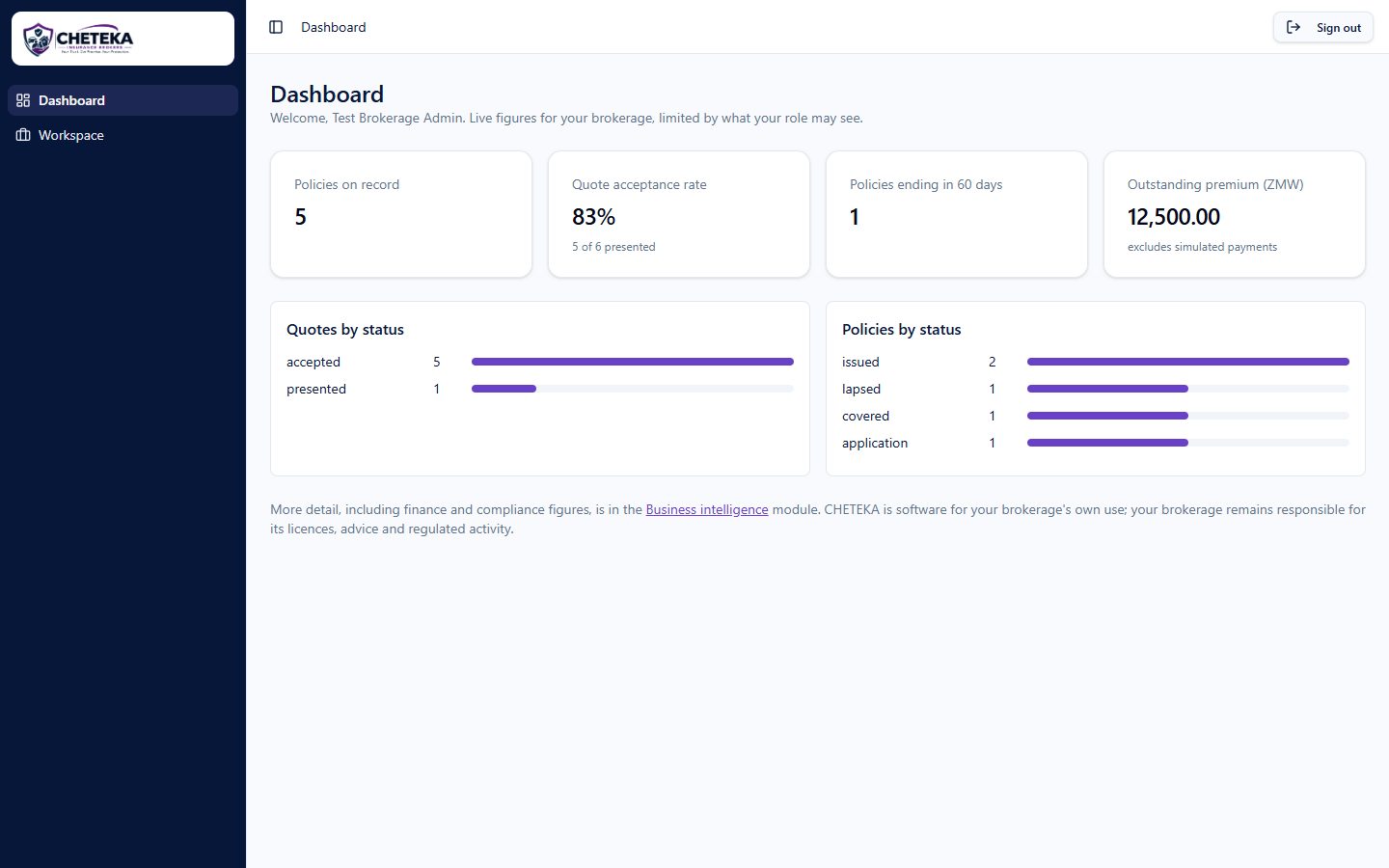
Policies on record, quote acceptance, renewals coming up and outstanding premium, on one screen for the brokerage's managers.
Dashboard
Workspace
Dashboard
Live figures for your brokerage, limited by what your role may see.
Policies on record
128
Quote acceptance rate
64%
Policies ending in 60 days
17
Outstanding premium (ZMW)
84,250.00
Quotes by status
Policies by status
Inside the software
The Brokerage Workspace, insurer management, claims, finance and reporting. Previews marked Illustrative use sample content; the real screens follow.
One Workspace for every operation
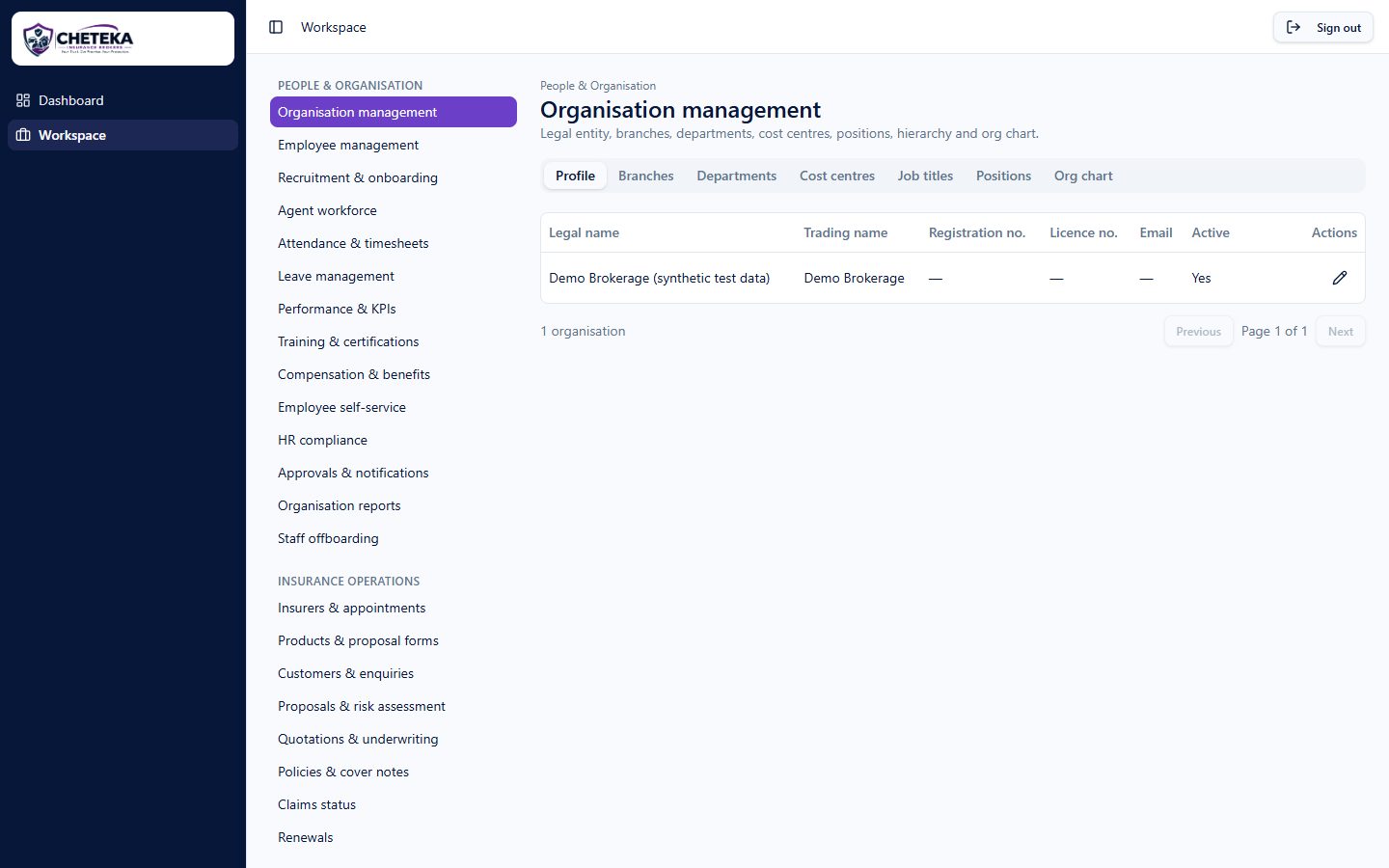
Dashboard and Workspace are the only two pages after sign-in. Inside the Workspace, every module (people, insurance operations, finance, reporting and administration) opens in place, limited by what each person's role may see.
- Role-based permissions and a full audit trail
- Customer, policy and payment records linked together
- Each brokerage in its own isolated organisation
People & Organisation · 14
- Organisation management
- Employee management
- Recruitment & onboarding
- Agent workforce
- + 10 more
Insurance Operations · 8
- Insurers & appointments
- Products & proposal forms
- Customers & enquiries
- Proposals & risk assessment
- + 4 more
Finance · 3
- Premium payments
- Settlements & reconciliation
- Commissions
Intelligence & Admin · 7
- Compliance centre
- Business intelligence
- Reports
- Tasks & follow-ups
- + 3 more
From the real application
Screenshots of the running CHETEKA application, signed in as a test user in a synthetic demonstration brokerage. No real customer data is shown.
How a brokerage gets started
- 1
Register your brokerage
Tell us about your business. We review the registration before anything is opened.
- 2
We set up your workspace
Your brokerage receives its own organisation account, separate from every other brokerage.
- 3
You invite your team
Your administrator adds staff and agents and decides what each person may see and do.
Zambia Insurance and Reinsurance Directories
Informational directories of insurers and reinsurers shown on the Pensions and Insurance Authority register of licensed insurance entities. A listing is not an endorsement, and CHETEKA has no agreement with the companies listed.
Subscription Plans
Monthly and annual subscriptions for access to the software and technical support, with an optional trial period. Subscription fees are separate from insurance premiums, brokerage commissions and payment-provider fees.
View Subscription PlansSee it working for your brokerage
Ask for a demonstration with your own workflow in mind, or talk to our sales team about your team size and needs.
Who is responsible for what
Your brokerage
Holds its own licences and insurer appointments, advises and serves its own clients, and is responsible for its regulated activity and its records.
CHETEKA
Provides and maintains the software, keeps each brokerage's data separate, and supports its use. CHETEKA does not sell, arrange or advise on insurance and does not handle your clients' money.
See CHETEKA working for a brokerage like yours
Ask for a demonstration, or talk to our sales team.